
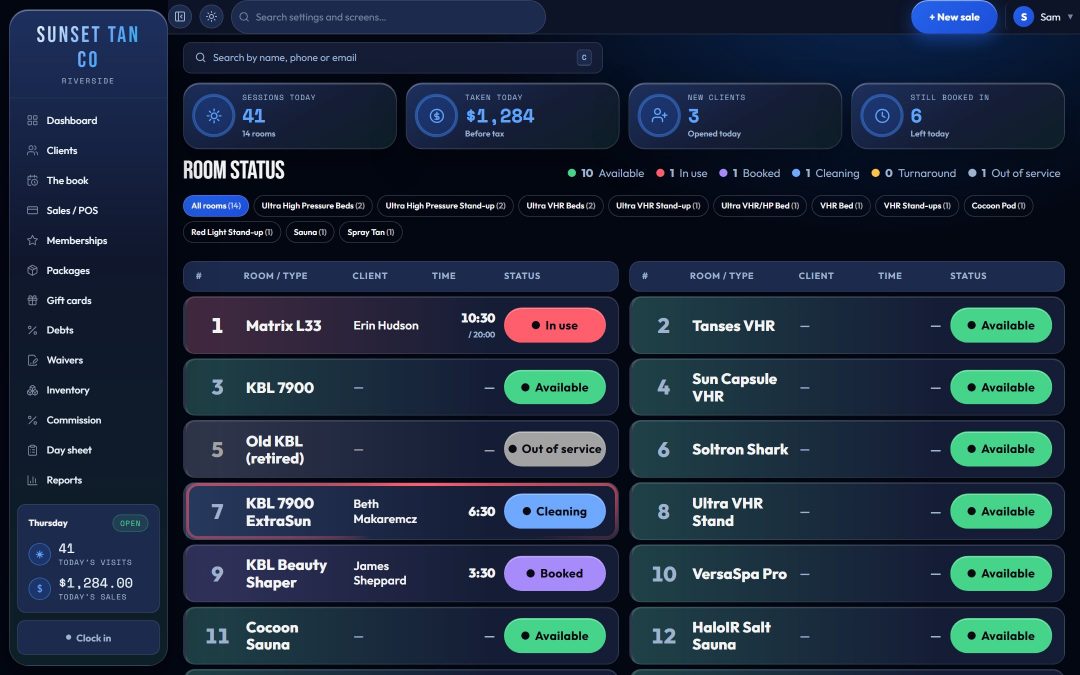
Rules the software keeps, not the desk's memory
A busy Saturday is when a new hire guesses a time, a regular back after three months gets their old session length, or a stray key turns 12 minutes into 20. TanVision checks every UV session before it starts, on the screen and again on the server, with the same rules in both places.
The limits come from a conservative built-in schedule capped at each room's maximum. They are software defaults, not law, and TanVision does not import the exposure schedule from a unit's label. Set each room's maximum from the manufacturer's label and treat the label as the authority. The guide to reading an exposure schedule covers the label itself.
Skin type sets the start and the ceiling
With Use skin type on, a UV room will not start for a client with no Fitzpatrick type on file. The type then sets where a first session starts, how much each later session adds while a tan builds, and a ceiling. All three are shares of the room's own maximum, rounded to whole minutes, never under 1 minute and never over the room's maximum.
| Skin type | Session 1 | Added each session | Ceiling | Highest bed level |
|---|---|---|---|---|
| Type I | 20% | +5% | 35% | Level 1 |
| Type II | 25% | +10% | 60% | Level 2 |
| Type III | 35% | +12% | 80% | Level 3 |
| Type IV | 45% | +15% | 90% | Level 4 |
| Type V | 55% | +15% | 100% | Level 5 |
| Type VI | 60% | +20% | 100% | Level 6 |
These are TanVision's defaults as shipped, shown as shares because the minutes depend on each room's maximum.
The highest bed level is a hard stop. A Type II client cannot start in a level 3 room, and the refusal names both numbers and where each is set: the room's level under Settings → Rooms, or the client's type on their record. Money does not lift it. Bed levels and upgrades decide what a client pays for a room; skin type decides whether they may use it. For Type I, the screen also shows an advisory that most operators decline service.
Base-tan fade: a returning client is not a regular
A lifetime session count is the wrong input. Someone with twenty sessions who last came in four months ago should not get a session-21 time. By default TanVision allows 14 days of grace; after that, each further 14 days away halves the progress the client kept, down to session 1.
| Days since the client's last session | Where a client with 10 sessions starts today |
|---|---|
| 14 or fewer | Session 11 |
| More than 14, under 28 | Session 6 |
| 28 to under 42 | Session 3 |
| 42 to under 56 | Session 2 |
| 56 or more | Session 1 |
The desk sees why in a sentence it can read out, for example: "Base tan has faded — 30 days since the last session. Stepped back from session 11 to 3 on the schedule."
Over the limit is refused, not trimmed
Staff type the minutes for every session; the box is never prefilled. The most this client may have is printed under it, labeled with where it came from: their schedule at this session, or the room's own maximum.
Type a number over that limit and the session does not start. The screen says the time is too long, gives the reason and asks for a smaller number. Quietly cutting the time to the cap would hide the mistake: a misread schedule, a misread client and a stray key all produce the same wrong number, and each needs a person to look again. A shorter time is always allowed.
The gap between UV sessions is your setting
Settings → Tanning rules holds one gap between UV sessions, from 0 to 168 hours, and a new salon starts at 24. Inside the gap, counted from the client's last session, check-in refuses a UV session and says when the client is next eligible. At 0 the gap is off, but a UV session within 24 hours of the last one still puts a warning on screen for the desk to read out.
It is one number for every client, so a rule that changes the gap over a client's first sessions cannot be set here. Check what applies to you in the 24-hour rule guide and on your state's page under tanning laws.
How strict to be is the salon's call
Some salons assess skin type at the counter and some do not. Use skin type is one switch, it starts switched on, and off means off: no assessment needed, no level cap and no skin-type warnings, for anybody. Age, the waiver, the session gap and the room checks carry on regardless.
The trade is shown rather than hidden. With skin type off, a client with no type on file is capped at the room's own maximum, so a first-time client can be offered a full session, and the minutes line says the limit came from the room. A client with a recorded type still gets their own schedule.
Skin type and the schedule apply only where there is UV
Only rooms that emit UV are held to skin type and the exposure schedule. Spray booths, red light, sauna and wellness pods use the room's own session length as the limit, because gating them on a skin assessment would refuse service for no reason. Paperwork, age and room status apply to every room.
Whether a room counts as UV comes from the salon's own kinds of room, where someone who has looked at the machine ticks Emits UV. A new kind starts ticked, the cautious direction, until someone unticks it.
Related features
Exposure limits run inside check-in, on the front desk board. Related: bed levels and upgrades, consent forms and spray tan and red light. For background, read Fitzpatrick skin types for tanning salons. To see a refusal and a base-tan step-back on screen, book a demo.
Common questions
- Does TanVision follow my tanning bed's exposure schedule?
- Not directly. It does not import the schedule on a unit's label. It uses its own conservative build-up by skin type, capped at the maximum minutes you set for each room from the label, and staff can always type less.
- How does TanVision handle a client who has not tanned in months?
- It steps them back on the schedule. After a 14-day grace window, each further 14 days away halves the progress they kept, down to session 1, and the desk sees how far they were stepped back.
- Can staff go over the limit?
- No. A time over the limit is refused. To change the limit, someone with access to Settings → Rooms changes the room's maximum or level, or the client's skin type is corrected on their record.
- Does TanVision enforce a 24-hour rule between sessions?
- By default, yes: a new salon starts with a 24-hour gap for UV rooms. Settings → Tanning rules takes any gap from 0 to 168 hours. At 0 it does not block, but the desk is warned about a UV session within 24 hours of the client's last one.
- What are the Fitzpatrick skin types?
- There are six. TanVision's picker describes them as: Type I, always burns, never tans; Type II, burns easily, tans minimally; Type III, burns moderately, tans gradually; Type IV, burns minimally, tans well; Type V, rarely burns, tans profusely; Type VI, never burns, deeply pigmented. See Fitzpatrick skin types for tanning salons.
- Do spray tans and red light need a skin type?
- No. Only rooms that emit UV use skin type and the exposure schedule. Every room still needs a signed warning statement and a date of birth on file.